Efficient data cloning in Kubernetes using external volume snapshots
A 2021 guide explains how to bypass namespace restrictions by importing cloud provider snapshots as golden images for fast, isolated development environments.

In a post on the Kubernetes Blog in September 2021, Augustinas Stirbis from CAST AI outlined a method for handling data duplication in resource-intensive clusters. The article addresses the performance bottlenecks of copying large datasets and proposes using pre-provisioned VolumeSnapshots to create isolated development environments efficiently.
What happened
Developers often need exact copies of production data to test schema changes or perform bulk operations without risking live systems. Traditionally, this involves downloading data from block storage to compute nodes and uploading it back to storage. This process consumes significant network bandwidth, CPU, and RAM, leading to slow iteration cycles and high infrastructure costs. Hardware acceleration can help, but the fundamental inefficiency of moving data across the network remains a major hurdle.
Kubernetes introduced VolumeSnapshots to address this, reaching General Availability in version 1.20 after starting as alpha in 1.12 and beta in 1.17. These snapshots leverage storage provider APIs to duplicate data volumes. For on-premise systems, this is often a metadata operation that points a new disk to an immutable snapshot, saving only the differences. In public clouds, snapshots are stored in object storage and copied back to block storage. While this still uses compute and network resources on the provider’s side, it offloads the burden from the Kubernetes cluster itself, making the operation appear instantaneous to the user.
However, a design limitation exists: VolumeSnapshots are namespaced. Kubernetes prevents pods in one namespace from mounting PersistentVolumeClaims (PVCs) in another to ensure tenant isolation. This means a snapshot created in a production namespace cannot be directly referenced by a development namespace. Creating duplicate volumes within the same namespace is possible but risky, as it increases the chance of referencing the wrong copy and weakens access controls.
How it works
The proposed solution bypasses Kubernetes namespace restrictions by creating a "golden snapshot" externally. Instead of using the Kubernetes API to take the initial snapshot, administrators use cloud provider tools to capture the disk state. This external snapshot is then imported into Kubernetes as a VolumeSnapshotContent, which is a cluster-scoped resource not bound to a specific namespace. This content acts as a bridge, allowing multiple namespaces to reference the same underlying data source.
Once the VolumeSnapshotContent is established, teams can create a VolumeSnapshot within their specific namespace that maps to this global content. From there, they generate a PersistentVolumeClaim based on that snapshot. This PVC can then be mounted by deployments or stateful sets in the development environment. Each team gets a unique, writable copy of the data, while the original golden snapshot remains immutable and shared efficiently across the cluster.
Key details
- VolumeSnapshots became Generally Available in Kubernetes version 1.20, having progressed through alpha in 1.12 and beta in 1.17.
- Duplicating data via traditional download-upload methods consumes excessive network traffic and compute resources compared to storage-level snapshots.
- Kubernetes VolumeSnapshots are namespaced by design, preventing direct cross-namespace PVC mounting to protect tenant isolation.
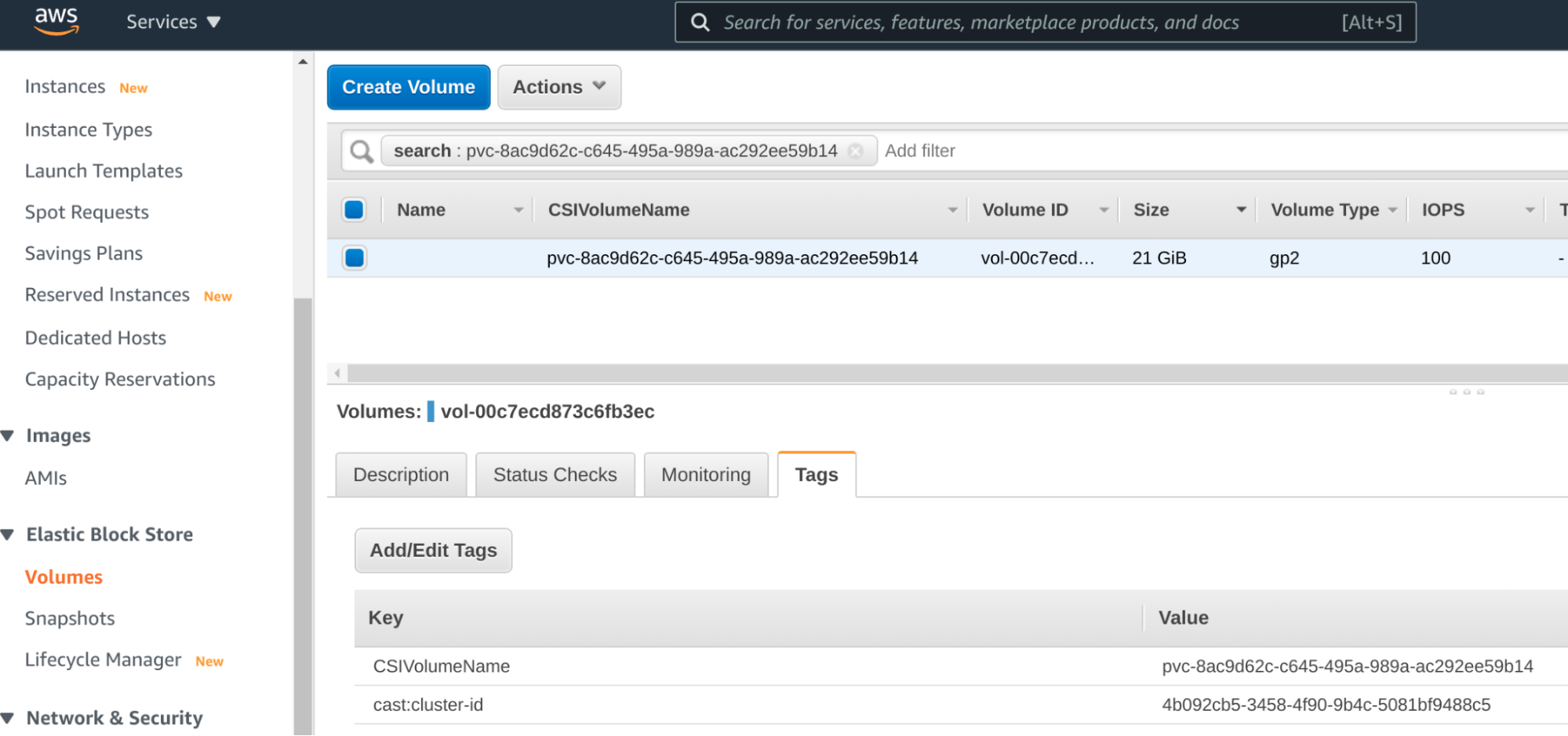
- The workaround involves pre-provisioning a snapshot via cloud provider CLI tools like AWS CLI or gcloud, outside of Kubernetes.
- Administrators import the external snapshot ID as a VolumeSnapshotContent, which is cluster-scoped and can be referenced by any namespace.
- Each team creates a local VolumeSnapshot and PVC mapped to the global VolumeSnapshotContent, ensuring isolated but identical data copies.
Why it matters
For software engineers and SREs managing data-heavy applications, this approach significantly reduces the time and cost associated with spinning up staging or testing environments. By avoiding the need to move large datasets over the network repeatedly, teams can iterate faster on database schema changes and data-intensive features. It also aligns with security best practices by keeping production namespaces locked down while still providing developers with realistic data sets.
Understanding the distinction between namespaced resources like VolumeSnapshots and cluster-scoped resources like VolumeSnapshotContent is crucial for advanced Kubernetes operations. This pattern demonstrates how to leverage cloud provider capabilities alongside Kubernetes abstractions to overcome platform limitations. It highlights the importance of knowing when to step outside the Kubernetes API to achieve optimal performance and flexibility.
What you can do
- Identify the PersistentVolumeClaim in your production namespace that serves as the source for your golden data copy.
- Use the cloud provider’s console or CLI to create a snapshot of the underlying disk, noting the snapshot ID.
- Create a VolumeSnapshotContent manifest in Kubernetes that references the external snapshot ID from your cloud provider.
- Define a VolumeSnapshot in each target development namespace that binds to the cluster-wide VolumeSnapshotContent.
- Generate a PersistentVolumeClaim in the development namespace using the local VolumeSnapshot as the data source.
- Deploy your application or database stateful set using the new PVC to verify the data clone is accessible and isolated.